Sunday, November 2, 2025

Aadhar New Update from 14 Nov 2024

A Step Towards Digital India: Now Update Aadhaar from Home, Free Facility Until 2026...

You no longer have to visit Aadhaar centers to update your Aadhaar. UIDAI has launched a facility that allows you to update your bank, mobile, or name and address information online from the comfort of your home. This facility is completely free and will remain available until June 14, 2026.

According to UIDAI, those who wish to change information on their Aadhaar card, such as mobile number, email, name, or address, can do so online through the official website or mobile app. However, a visit to a center will be mandatory for biometric or photo updates.

Fees for Aadhaar updates have been fixed—₹75 for name, address, or mobile number updates,₹125 for biometric updates, and₹50 for photo updates.

Furthermore, the eKYC process for bank accounts has also been simplified. Customers can now complete eKYC at their bank or financial institution.

Additionally, every PAN card holder is mandated to link their PAN with Aadhaar by December 31, 2025. Failure to do so may impact financial and tax-related transactions from January 2026.
Read More

Thursday, October 9, 2025

Pay using BHIM apps without Bank account

 What is UPI Circle / BHIM Circle

UPI Circle is a delegation / sharing feature introduced by NPCI that lets a primary user (i.e. the main account holder) authorize secondary users (trusted family, friends, caretakers) to initiate UPI payments from the primary user’s linked bank account. 

The idea is to allow people who may not be comfortable managing digital payments (elderly, dependents) to transact via someone they trust, while still giving the primary user oversight and control. 

At launch, this feature was available in BHIM app version 4.0.2 and above. 

Key Features & Modes of Delegation

UPI Circle supports different modes / levels of delegation:

Feature Description

Number of secondary users A primary user can authorize up to 5 secondary users. 

Partial Delegation (Approve Every Payment) The secondary user can initiate a transaction, but the primary user must approve each one in real time (by entering UPI PIN) before it is completed. 

Full Delegation (Spend with Limits) The secondary user can transact independently up to a limit set by the primary user — no need for approval each time (as long as the transaction is within the allowed limits). 

Transaction / Monthly Limits In full delegation mode, the per-transaction limit is ₹5,000, and the monthly limit is ₹15,000. 

Transparency / Control All transactions by secondary users are visible to the primary user. In partial mode, each request must be approved. The primary user retains control to modify or revoke permissions. 

Interoperability / Cross-platform UPI Circle is becoming interoperable across UPI apps (BHIM, PhonePe, Google Pay). That means primary and secondary users can be on different UPI apps and still use the feature. 

Useful for families: e.g. a parent lets a child make small payments (school fees, snacks), but retains control. 

For elderly / dependents: a caregiver can help manage payments for them, while the elderly person remains in the loop. 

For small businesses or helpers: owners can let trusted staff initiate payments (for fuel, supplies) under limited authorization. 

Promotes financial inclusion: individuals who may not have bank accounts or are less tech-savvy can still transact via trusted persons. 

How to Use / Set Up UPI Circle in BHIM

Here’s a step-by-step guide based on available sources:

Update BHIM app

Ensure your BHIM app is version 4.0.2 or later. 

Open UPI Circle section

Within BHIM app, look for “UPI Circle” in the menu or home page. 

Add Secondary User

You can add by entering their UPI ID or by scanning their QR code. 

The secondary user must accept the invitation. 

Choose Delegation Type

Approve Every Payment (Partial Delegation).

Spend with Limits (Full Delegation).

Set limits (monthly / per transaction) if choosing full delegation. 

Confirm / Authorize Setup

Once settings are configured, confirm using UPI PIN or as required. The setup may take a few minutes to become active. 

Operate

Secondary user initiates payments (within their access).

If partial mode, request goes to primary for approval.

The transaction is completed only after primary approves.

Primary can monitor, edit, or revoke access any time. 

Limitations & Considerations / Things to Note

Even with full delegation, there are limits: typically ₹5,000 per transaction and ₹15,000 per month. 

In partial delegation mode, the daily UPI limits (that apply to your account) still apply. 

The feature requires both parties to use UPI and compatible apps. Secondary users must accept the invitation.

The feature was initially limited to BHIM, but cross-platform interoperability is being introduced, meaning primary & secondary can be on different UPI apps. 

You must trust the secondary user, even if there are limits — misuse is possible if permissions are mis-set.

The feature is new, so some bank/UPI apps may roll out support gradually.


Read More

Monday, May 15, 2023

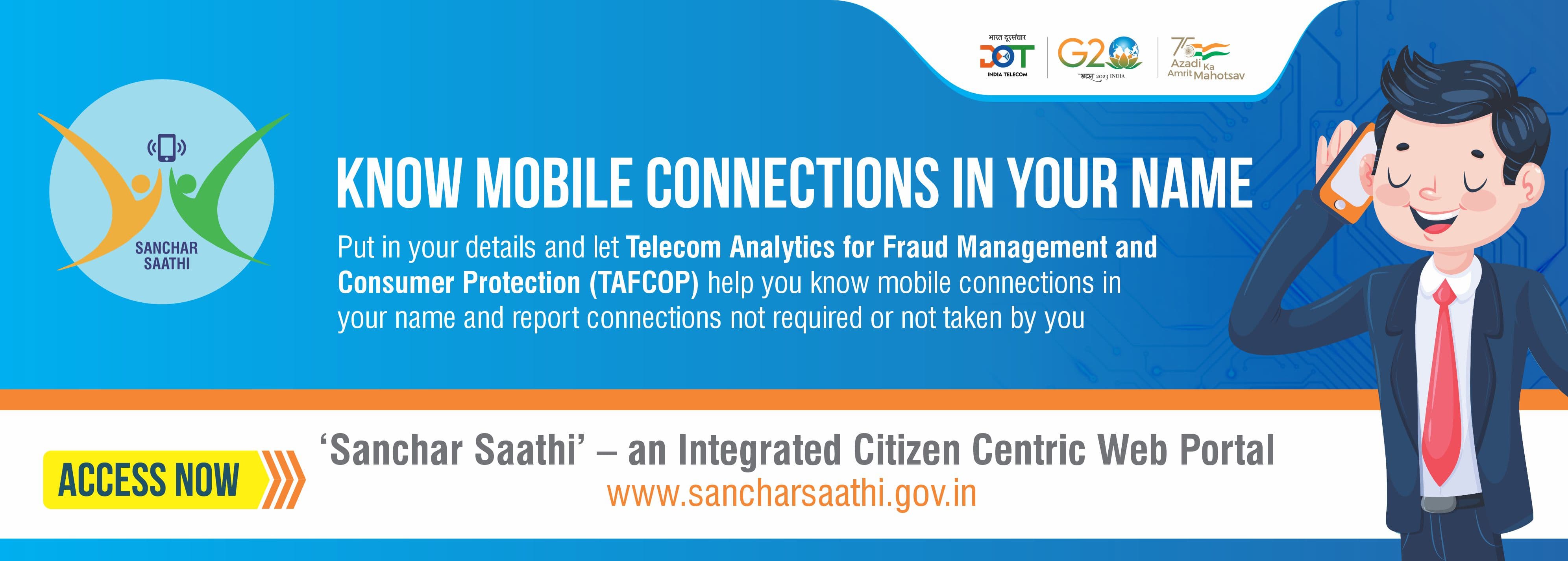
Block /Track and Know your mobile connection. : Sanchar Saathi portal


 The Department of Telecommunications has launched the Sanchar Saathi portal to provide citizens with tools to manage their mobile connections and increase awareness about government initiatives. The portal enables users to identify mobile connections issued in their name and disconnect any unnecessary connections. It also offers features to block or trace lost mobile phones and verify the authenticity of devices when purchasing new or used phones. Refer this link to know mobile number owner

One of the modules on the Sanchar Saathi portal is the CEIR, which assists in tracing lost or stolen mobile devices and blocking them on all telecom networks in India to prevent their misuse. If someone tries to use a blocked mobile phone, its traceability is generated, and once the phone is found, it can be unblocked on the portal for normal use by the citizens.

The TAFCOP module allows mobile subscribers to verify the number of mobile connections taken in their name and report any connections that are not required or not taken by them.

Additionally, the portal includes a "Keep Yourself Aware" facility that provides users with the latest updates and awareness material related to end-user security, telecom, and information security.


For Quick User Manual Refer this link 

Read More

Monday, March 27, 2023

Link your Credit card on BHIM Platform


RuPay Credit Cards on UPI will provide a seamless, digitally enabled credit card lifecycle experience for the customers. Customers will benefit from the ease and the increased opportunity to use their credit cards. Merchants will benefit from the increase in consumption by being part of the credit ecosystem with acceptance of credit cards using asset lite QR codes. RuPay Credit cards can now be linked to a UPI ID, thus directly enabling safe, and secure payment transactions.

Please download BHIM app from Google Play store. Complete the registration journey, select Credit Card as an option. Select your issuing bank name from the drop down. Basis the mobile number update with your issuing bank, masked Credit Cards will appear on the screen. Select the card which you want to link and confirm. Proceed to generate UPI PIN.
Currently, on BHIM, Mobikwik and Paytm app customer can link their RuPay Credit Card on UPI. Other apps are enhancing their tech platforms to enable linking of credit card on UPI.

As of now , four banks are live to link RuPay Credit Card on UPI – Punjab National Bank, Union Bank of India & Indian Bank, HDFC Bank

Product features:
Discover credit card accounts from the issuer bank based on your registered mobile number and link it to the UPI ID on BHIM app or any UPI app.

Post linking the card, customer will be able to make payment to a merchant by scanning the UPI QR code. Payment authentication will be done using UPI PIN.

Cash withdrawal at merchant, P2P, P2PM, card to card payments will not be permitted through this functionality.

Transaction through this process will follow UPI standard transaction limits.

Features like AutoPay and dispute resolution will be available for the customer via ODR (UPIHelp) through UPI Apps.


Read More

Thursday, April 15, 2021

How to get back your money after online bank fraud -Dial Helpline-number-155260


 Delhi Police said they have formally launched a helpline number that helps victims of online financial frauds get their money back quickly. It was launched on 13 Apr 2021 .

The Union Ministry of Home Affairs has started a pilot project in November last year with the cyber portal https: //cybercrime.gov.in/ and cyber cell of Delhi Police for victims of cheating by OTP, link and other methods. Delhi has been linked first on this Indian cybercrime co-ordination platform. After this Rajasthan has been added. Similarly, other states of the country will be made part of this project. About 55 banks, e-wallets, e-commerce sites, payment gateways and other institutions are associated with cyber cell.

If there is an online fraud with you, a helpline number 155260 will have to be dialed and a complaint will be lodged. After this, as per primary inquiry on the helpline number, your name, mobile number, timing of fraud, bank account number will be obtained. After this the helpline number will send your information to the portal for further action. Then the concerned bank will be informed of the fraud. Funds with fraud will be held if the information is correct. After this, your money will be transferred to your account.

The helpline — 155260 — was already operating under the Union ministry of home affairs for reporting all kinds of cyber crimes. The cyber cell of Delhi Police, in collaboration with the Union ministry of home affairs, in November last year decided to take over and enhance the capacities of the helpline on a pilot basis.

The police added 10 lines to the helpline number, a move that saw tremendous response, helping at least 23 victims of frauds recover their lost money either partially or fully, said Anyesh Roy, deputy commissioner of police (cyber cell).

Roy added that in total , the 23 victims so far have managed to get around ₹8.11 lakh back, of which the biggest beneficiary was a Delhi-based retired audit account officer, who managed to get back ₹98,000 that he had lost to a fraudster.


Read More

Friday, May 29, 2020

Get ePAN card instantly for FREE using Aadhaar


It may be recalled that in the Union Budget, 2020, Union Finance Minister Nirmala Sitharaman on 28th May 2020 ,Thursday launched the facility for instant allotment of PAN.

The allotment process is paperless and an electronic PAN (e-PAN) is issued to the applicants free of cost.

This facility enables to get PAN  for applicants who possess a valid Aadhaar number and have a mobile number registered with Aadhaar.

How to apply for instant PAN through Aadhaar based e-KYC

- The instant PAN applicant is required to access the e-filing website of the Income Tax Department(https://www.incometaxindiaefiling.gov.in/e-PAN/) to provide your valid Aadhaar number

- Then submit the OTP received on your Aadhaar registered mobile number.

- On successful completion of this process, a 15-digit acknowledgment number is generated.

- You can check the status of the request anytime by providing your valid Aadhaar number and on successful allotment, can download the e-PAN.

- The e-PAN is also sent to you one your email id, if it’s registered with Aadhaar.

The Beta version of the instant PAN through Aadhaar based e-KYC on trial basis was started in February this year on the e-filing website of Income Tax Department. 6,77,680 instant PANs have been allotted with a turnaround time of about 10 minutes, May 2020, an official release said.

As on May 25, 2020, a total of 50.52 Crore PANs have been allotted to the taxpayers. Out of which, around 49.39 Crore are allotted to the individuals and more than 32.17crore are seeded with Aadhaar so far.

Read More

Friday, March 1, 2019

PM-SYM Pension Yojana : Pradhan Mantri Shram Yogi Maan-dhan (PM-SYM) to ensure Pension for old age protection of Unorganized Workers.

Pradhan Mantri Shram Yogi Maan-dhan (PM-SYM)
Government of India has introduced a pension scheme for unorganised workers namely Pradhan Mantri Shram Yogi Maan-dhan (PM-SYM) to ensure old age protection for Unorganised Workers.
The unorganised workers mostly engaged as home based workers, street vendors, mid-day meal workers, head loaders, brick kiln workers, cobblers, rag pickers, domestic workers, washer men, rickshaw pullers, landless labourers, own account workers, agricultural workers, construction workers, beedi workers, handloom workers, leather workers, audio- visual workers and similar other occupations whose monthly income is Rs 15,000/ per month or less and belong to the entry age group of 18-40 years. They should not be covered under New Pension Scheme (NPS), Employees’ State Insurance Corporation (ESIC) scheme or Employees’ Provident Fund Organisation (EPFO). Further, he/she should not be an income tax payer.

2. Features of PM-SYM: It is a voluntary and contributory pension scheme, under which the subscriber would receive the following benefits :
(i)    Minimum Assured Pension: Each subscriber under the PM-SYM, shall receive minimum assured pension of Rs 3000/- per month after attaining the age of 60 years.
(ii)   Family Pension: During the receipt of pension, if the subscriber dies, the spouse of the beneficiary shall be entitled to receive 50% of the pension received by the beneficiary as family pension. Family pension is applicable only to spouse.
(iii)   &nbps; &&nbps;If a beneficiary has given regular contribution and died due to any cause (before age of 60 years), his/her spouse will be entitled to join and continue the scheme subsequently by payment of regular contribution or exit the scheme as per provisions of exit and withdrawal.
3. Contribution by the Subscriber: The subscriber’s contributions to PM-SYM shall be made through ‘auto-debit’ facility from his/ her savings bank account/ Jan- Dhan account. The subscriber is required to contribute the prescribed contribution amount from the age of joining PM-SYM till the age of 60 years. The chart showing details of entry age specific monthly contribution is as under:


Contribution Chart

Card Sample
4. Matching contribution by the Central Government: PM-SYM is a voluntary and contributory pension scheme on a 50:50 basis where prescribed age-specific contribution shall be made by the beneficiary and the matching contribution by the Central Government as per the chart. For example, if a person enters the scheme at an age of 29 years, he is required to contribute Rs 100/ - per month till the age of 60 years an equal amount of Rs 100/- will be contributed by the Central Government.

5. Enrolment Process under PM-SYM: The subscriber will be required to have a mobile phone, savings bank account and Aadhaar number. The eligible subscriber may visit the nearest Common Services Centres (CSC eGovernance Services India Limited (CSC SPV)) and get enrolled for PM-SYM using Aadhaar number and savings bank account/ Jan-Dhan account number on self-certification basis.
Later, facility will be provided where the subscriber can also visit the PM-SYM web portal or can download the mobile app and self-register using Aadhar number/ savings bank account/ Jan-Dhan account number on self-certification basis.

6. Enrollment agencies: The enrolment will be carried out by all the Common Services Centres. The unorganised workers may visit their nearest CSC along with their Aadhar Card and Savings Bank account passbook/Jandhan account and get registered themselves for the Scheme. Contribution amount for the first month shall be paid in cash for which they will be provided with a receipt.

7. Facilitation Centres: All the branch offices of LIC, the offices of ESIC/EPFO and all Labour offices of Central and State Governments will facilitate the unorganised workers about the Scheme, its benefits and the procedure to be followed, at their respective centers.
In this respect, the arrangements to be made by all offices of LIC, ESIC, EPFO all Labour offices of Central and State Governments are given below, for ease of reference:

1.  All LIC, EPFO/ESIC and all Labour offices of Central and State Governments may set up a “Facilitation Desk” to facilitate the unorganised workers, guide about the features of the Scheme and direct them to nearest CSC
2.  Each desk may consist of at least one staff.
3.  They will have backdrop, standi at the main gate and sufficient number of brochures printed in Hindi and regional languages to be provided to the unorganised workers.
4.  Unorganised workers will visit these centres with Aadhaar Card, Savings bank account/Jandhan account and mobile phone.
5.  Help desk will have onsite suitable sitting and other necessary facilities for these workers.
6.  Any other measures intended to facilitate the unorganised workers about the Scheme, in their respective centers.
8.Fund Management: PM-SYM will be a Central Sector Scheme administered by the Ministry of Labour and Employment and implemented through Life Insurance Corporation of India and CSC eGovernance Services India Limited (CSC SPV). LIC will be the Pension Fund Manager and responsible for Pension pay out. The amount collected under PM-SYM pension scheme shall be invested as per the investment pattern specified by Government of India.

9.Exit and Withdrawal: Considering the hardships and erratic nature of employability of these workers, the exit provisions of scheme have been kept flexible. Exit provisions are as under:
(i)  In case subscriber exits the scheme within a period of less than 10 years, the beneficiary’s share of contribution only will be returned to him with savings bank interest rate.
(ii)  If subscriber exits after a period of 10 years or more but before superannuation age i.e. 60 years of age, the beneficiary’s share of contribution along with accumulated interest as actually earned by fund or at the savings bank interest rate whichever is higher.
(iii)  If a beneficiary has given regular contributions and died due to any cause, his/ her spouse will be entitled to continue the scheme subsequently by payment of regular contribution or exit by receiving the beneficiary’s contribution along with accumulated interest as actually earned by fund or at the savings bank interest rate whichever is higher.
(iv)  If a beneficiary has given regular contributions and become permanently disabled due to any cause before the superannuation age, i.e. 60 years, and unable to continue to contribute under the scheme, his/ her spouse will be entitled to continue the scheme subsequently by payment of regular contribution or exit the scheme by receiving the beneficiary’s contribution with interest as actually earned by fund or at the savings bank interest rate whichever is higher.
(v)  After the death of subscriber as well as his/her spouse, the entire corpus will be credited back to the fund.
(vi)  Any other exit provision, as may be decided by the Government on advice of NSSB.
11. Default of Contributions: If a subscriber has not paid the contribution continuously he/she will be allowed to regularize his contribution by paying entire outstanding dues, along with penalty charges, if any, decided by the Government.

12. Pension Pay out:Once the beneficiary joins the scheme at the entry age of 18-40 years, the beneficiary has to contribute till 60 years of age. On attaining the age of 60 years, the subscriber will get the assured monthly pension of Rs.3000/- with benefit of family pension, as the case may be.

13. Grievance Redressal: To address any grievances related to the scheme, subscriber can contact at customer care number 1800 267 6888 which will be available on 24*7 basis(to be effective from 15 Febraury 2019). Web portal/ app will also have the facility for registering the complaints.

14. Doubt and Clarification: In case of any doubt on the scheme, clarification provided by the JS & DGLW will be final.

15. CSC Locator: For finding the nearest CSC, please visit locator.csccloud.in
Read More

Sunday, September 23, 2018

Free health insurance of 5 lakhs under PMJAY, see if your name is included in the plan


Prime Minister Narendra Modi has launched the Prime Minister Health Insurance Scheme on September 23 from Jharkhand's capital, Ranchi. Under this scheme, health insurance will be provided to more than 100 million households. Simultaneously, PM has laid the foundation of the medical college in Chibasa and Koderma .

You can get information about whether you come under the scheme or not by going to https://www.abnhpm.gov.in/. After visiting the site you will see AM I ELIGIBLE. After clicking on it, you will need to enter your mobile number in a , then fill in the captcha  in it and generate the OTP. After entering the OTP on mobile , a second window will open in which you have given some options of search. Includes name, mobile number, ration card number and SECC

If the hospital associated with the scheme asks for money for treatment or refuses to treat it then the beneficiary grivance can appeal to the RE-Dressal Committee. The chairman of this committee will be the collector of the district. If found guilty, the hospital will be penalized and his license can also be canceled.

But let us tell you that in this portal, their names have been included, whose information was collected by all the gram sabhas of the country on April 30, 2018. If you do not find your name in it, then you can find the name under the SECC (Socio-Economic Caste Census). If you do not get your name even in this, you can contact your closest Ayushman Mitra. Apart from this, information can be taken by calling the helpline number 14555 of the Prime Minister Jan Swasthya Yojana.

Features of Scheme.
- Under the scheme, medical cover up to five lakhs will be provided. It has a simple meaning that for five lakh you will not have to pay any money for the treatment.

There is no obligation in the plan regarding the number of family members


The benefits of this scheme will be available only to families who live below the poverty line. Apart from this, people in the socio-economic and caste census (SECC) will also get the benefit.


All members of the family present in the SEC database will be the holders of this scheme.

In case of hospitalization during treatment, the patient will not be charged any kind of charges.

All the diseases covered in the plan will be covered from the first day. Benefit will be available before and after hospitalization. Under this scheme 1350 types of medical packages will be available. Under which expenses of surgery, day care treatment, drug cost and diagnostic will also be borne.

- The plan holders can go to private hospitals anywhere and get their treatment done free of charge. The government has so far tied up with about 8,000 hospitals for this. Around 20,000 hospitals will be linked to this scheme.

- During treatment, the plan holder will have to prove his identity by showing any type of ID in hospital.
Read More

Tuesday, April 17, 2018

Start using BHIM apps and get Bumper CASH BACK


In order to increase the use of digital payement ,  government is trying to make its position on the top by providing cashback to the users and merchants. Previously, BHIM app extended its offer of cashback for the merchants to March 31, 2018. Now Ministry of Electronics and IT (MeitY) has decided that new users are also going to get a cashback on Rs 51 while using the application and the merchants who use the app will be eligible for a cashback of Rs 1000 in total. Similar cashbacks being provided by other applications (Google Tez) since users receive a total sum of Rs 51 regardless of what amount they transact through the UPI app.


Currently in BHIM There is no minimum limit for the transaction to be eligible for the cashback. This promotion offer is used to compete with other UPI apps likes of Google Tez, PAYTM UPI and other.

For every transaction for a minimum of Rs 100 to any VPA (Virtual Payment Address)/ UPI ID, bank account, or mobile number, the BHIM app is offering a cashback of Rs 25 however the cap on this has been set to Rs 500 per month.

Read More

Saturday, July 22, 2017

New Pension Scheme for senior Citizen with 8% Return:Pradhan Mantri Vaya Vandana Yojana (PMVVY)

On 20 July Minister of Finance Mr. Arun Jatelity has launched a Pension scheme for senior citizens (60 years and above) in which they will get a guaranteed interest of 8 per cent for 10 years. Financial planners say that this pension scheme will offer more avenues to senior citizens to earn steady regular income at a time of falling interest rates. The scheme is exempted from GST or goods and services tax.

Lets have brief major point for this scheme:

1) LIC started offering the scheme from May 4, 2017. Earlier this scheme was remain open till May 3, 2018 but now it has been extended to 21 March 2020. This Scheme PMVVY can be purchased offline as well as online through Life Insurance Corporation (LIC) of India which has been given the sole privilege to operate this scheme.

2) The scheme will provide an assured return of 8 per cent per annum payable monthly (equivalent to 8.30 per cent per annum) for 10 years.

3) The pension is payable at the end of each period, during the policy term of 10 years, as per the frequency of monthly/ quarterly/ half-yearly/ yearly as chosen by the pensioner at the time of purchase.

5) There is a minimum and maximum limit for investment in Pradhan Mantri Vaya Vandana Yojana Scheme. The amount varies according to the pension payment mode chosen. For example, under the yearly pension mode, the minimum amount that has to be invested in the scheme is Rs. 1,44,578 and the maximum at Rs. 7,22,892. In monthly mode, the minimum amount that has to be invested is Rs. 1,50,000 and maximum at Rs. 7,50,000.

Accordingly, Rs. 1,000 will be the minimum pension amount payable monthly for which Rs. 1,50,000 has to be invested. Similarly, the maximum monthly pension shall be Rs. 5,000 per month for which Rs. 7,50,000 has to be invested. For other modes, see the table above.


 Pradhan Mantri Vaya Vandana Yojana Scheme detial as mentioned on LIC website


6) On survival of the pensioner to the end of the policy term of 10 years, purchase price along with final pension installment shall be payable.

7) Loan up to 75 per cent of purchase price (amount invested to earn pension) shall be allowed after three policy years to meet the liquidity needs. Loan interest shall be recovered from the pension installments and the loan to be recovered from claim proceeds.

8) The scheme also allows for premature exit for the treatment of any critical/ terminal illness of self or spouse. On such premature exit, 98 per cent of the purchase price shall be refunded.

9) On death of the pensioner during the policy term of 10 years, the purchase price shall be paid to the beneficiary.

Read More

Tuesday, February 21, 2017

Bharat QR code. Single QR code for all Wallet.

Bharat QR Code is a common QR code made ease of payments across different wallet service. This is a standard which will support Visa, MasterCard and Rupay cards for wider acceptance. Currently, if you want to make a cashless payment at most stores, you need a credit and debit card to swipe and enter the PIN code for authentication but Bharat QR code will enable the merchants to accept digital payments without the Point of Sale (PoS) swiping machine. It will allow customers of any bank to use their smartphone app to make payment using their debit card. This will help merchants need to invest in buying the PoS machine.

As of now Bharat QR is integrated into ICICI Bank’s Pockets app and HDFC Bank’s PayZApp, with more banks expected to update their apps with support for the same. In order to test this feature I tried making payment using ICICI Bank’s Pocket app. To test the feature, I have generated a QR code using BHIM app. Next, I used Pocket’s app to scan the QR code and the payment successfully went through via UPI

Read More

Saturday, December 31, 2016

All new Indian Govt. Official Apps for Cashless Transaction :BHIM Mobile apps.

After the success for PAYTM and other mobile wallet much awaited Government apps for fund transaction Bharat Interface for Money (BHIM) is an initiative to enable fast, secure, reliable cashless payments through your mobile phone. BHIM is inter-operable with other Unified Payment Interface (UPI) applications, and bank accounts. BHIM is developed by the National Payment Corporation of India (NPCI). BHIM is made in India and dedicated to the service of the nation.

How does it work?

Pre-requite

You have to use only that Mobile number that is registered in you bank account.

Register your bank account with BHIM, and set a UPI PIN for the bank account. Your mobile number is your payment address (PA), and you can simply start transacting. Yes! It is that simple.The best part of this apps is easy operation and without any hassle the payment is done. Earlier Paytm has done this also but this time this is government initiative to have a apps which will incorporate all the bank on single platform.This apps will be no -doubt a revolutionary apps. The major difference between various Mobile wallet is that in mobile wallet you have to load money using internet banking or via debit/credit card.This BHIM apps is directly connected to bank account hence no internet banking is required or it do not require any wallet load.Once you have registed sucefully will will get a Virtual address starting with your 10 digit mobile number for e.g 9XXXXXXXXX@upi .


Features

Send / Receive Money: Send money to or receive money from friends, family and customers through a mobile number or payment address. Money can also be sent to non UPI supported banks using IFSC and MMID. You can also collect money by sending a request and reverse payments if required.If a receiver is already registered on this apps then you can send him money by just using his mobile number similar to PAYTM or other mobile wallet.

Sending payment method is easy that is via Mobile phone number or the payment address of the recipient. Another method is if you know account number and Bank IFSC code then still you can send money.

Check Balance: You can check your bank balance and transactions details on the go.

Custom Payment Address: You can create a custom payment address in addition to your phone number.

Request money
You can request money from anyone using two method , One is by entering the mobile number or QR code.
QR Code: You can scan a QR code for faster entry of payment addresses. Merchants can easily print their QR Code for display.

Transaction Limits: Maximum of Rs. 10,000 per transaction and Rs. 20,000 within 24 hours.

Language supported: Hindi and English. More languages coming soon!

List of Bank Supported: 
All the major banks are supported by the BHIM app - as long as the bank supports UPI, you will be able to access your money through the BHIM app. Soon new more bank will get added.

The list of banks supported by the BHIM app is as follows:
Allahabad Bank
Andhra Bank
Axis Bank
Bank of Baroda
Bank of Maharashtra
Canara Bank
Catholic Syrian Bank
Central Bank of India
DCB Bank
Dena Bank
Federal Bank
HDFC Bank
ICICI Bank
IDBI Bank
IDFC Bank
Indian Bank
Indian Overseas Bank
IndusInd Bank
Karnataka Bank
Karur Vysya Bank
Kotak Mahindra Bank
Oriental Bank of Commerce
Punjab National Bank
RBL Bank
South Indian Bank
Standard Chartered Bank
State Bank of India
Syndicate Bank
Union Bank of India
United Bank of India
Vijaya Bank


Read More

Wednesday, December 7, 2016

You no longer require Internet to pay via PAYTM.

Paytm has been one of the biggest beneficiaries for people who do day to day small transaction after banning of Rs 500 and Rs 1000 currency notes.You no longer need a smartphone or internet data to pay through e-wallet app Paytm. The company has just announced that it has expanded its reach to non-internet users, who use feature phones.

PayTM has started a toll free number -- 1800 1800 1234 -- to enable customers and merchants without internet connection to pay and receive money instantly and also recharge their mobile phones. To use this service, users (both customers and merchants) first need to register with Paytm through their mobile number and set a 4-digit Paytm PIN. Also, the call made on the toll-free number should be from the mobile number that has been registered with Paytm.They can then enter the recipient's mobile number, amount and their Paytm PIN to transfer the money from their Paytm wallet to another Paytm wallet.
If  users dont have account then  need a smartphone or desktop with internet connection to set up their Paytm account to use this feature.
As of  now it is not possible to get a Paytm account created through on phone. Similarly, to add money in the wallet, users would need to log in to the website or the app. It is also possible to find the nearest cash-in point using Paytm nearby and top-up the account.

Paytm, in November, rolled out a feature allowing users and merchants to send money from their Paytm wallets to any bank account at 1% transaction fee. However, later in the month the company said it won't charge any transaction fee on bank transfers at all.

Earlier, customers and merchants who had their KYCs successfully done could send money to banks through Paytm at 1% fee without any waiting period. However those without KYCs had to pay a 4% transaction fee, followed by a wait time of 45 days post creation of a Paytm account, in order to transfer money to banks.

Read More

UPI (Unified Payment Interface) is now new method to send and receive money

In wake to present demonetization ,we have a now cashless channel started by some banks call UPI (Unified Payment interface) . In layman terms UPI is nothing but a email ID kind of thing where each customer will have a unique ID which will be mapped to their bank account. Here customer need not to tell account no. ,Account holder name or his bank IFC code.

Unified Payments Interface (UPI) is a system that powers multiple bank accounts (of participating banks), several banking services features like fund transfer (P2P), and merchant payments in a single mobile application.[2] UPI was launched by National Payments Corporation of India with Reserve Bank of India's (RBI) vision of migrating towards a 'less-cash' and more digital society. UPI has built on the Immediate Payment Service(IMPS) platform.

UPI platform can be used for:

1) Immediate money transfer through mobile device round the clock 24*7 and 365 days.
2) Single mobile application for accessing different bank accounts
3) Virtual address of the customer for Pull & Push provides for incremental security with the customer not required to enter the details such as Card no, Account number; IFSC etc.
4) Bill Sharing with friends.
5) Merchant Payment with Single Application or In-App Payments.
6) Scheduling PUSH and PULL Payments for various purposes.
7) Utility Bill Payments, Over the Counter Payments, Barcode (Scan and Pay) based payments.
    Donations, Collections, Disbursements scalable.

How to Create Virtual address for customer ?

In order to create a virtual address customer need to register for UPI service via their respective bank apps or some third party apps are also there to register.

Your virtual address will be like a email ID for example if you have a Bank account in SBI then your Virtual address will be like this [XYZ]@sbi . If you have account in HDFC then your virtual address for your account will be something [xyz]@hdfcbank  ( bracket is not part of virtual address)

List of participating Banks which provide UPI service currently ( other bank are  in process to implement)


Sr. No
Bank Name
Name of UPI App
1
State Bank of India
2
3
HDFC
4
5
6
7
8
9
DCB
10
11
KBL – Smartz
12
13
14
15
UCO Bank
16
17
Vijaya Bank
18
OBC
19
20
IDBI Bank
21
RBL Bank
22
Yes Bank
23
IDFC
24
Standard Chartered Bank
25
Allahabad Bank
26
HSBC
27
Bank of Baroda
28
Kotak Mahindra Bank
29
IndusInd
Read More

Friday, July 15, 2016

SBI is blocking e-commerce transaction using debit card

In order safe guard interest of customer SBI is going to block the e-commerce transaction from debit card.This will help customer to optimize online fraud by debit card

If you are getting SMS like "Your SBI Debit card ending with XXXX is deactivated only for Internet txn. To activate send SMS "SWON ECOM XXXX" to 9223966666 . No change for ATM /POS usage" then don't panic you can still activate your eCommerce transaction by sending this SMS like this SWON ECOM <Last four digit of card>
Read More

Thursday, May 5, 2016

Pay using mVISA: NO Card Required at POS: SBI

State Bank of India (SBI), the launch of mVisa, a mobile-based payment solution. This helps customers to make payments from their smartphones just by scanning the unique merchant QR (Quick Response) code, at merchant outlets.

mVisa is a card-less solution which facilitates payment by scanning the QR code displayed at the merchant outlet or from the merchants mobile. SBI customers (both Debit Card holders as well as Internet Banking customers, having transaction rights) You can do  easy payments to the merchants by simply scanning QR code image hence there is no  need to swipe the physical card at a point-of-sale (PoS) machine. Bank customer can simply download the latest version of SBI Anywhere application, from ‘Google Play Store’ and need to register for mVisa payments by simply clicking the mVisa icon on the home screen.

 SBI mVisa merchant app is also available in ‘Google Play Store’ and is used for receiving the payment notification, generation of static and dynamic QR codes, viewing transaction history etc. by the merchants. SBI mVisa merchants can accept payment from any mVisa customers. While in case of static QR code amount is filled by the mVisa customer himself, in case of dynamic QR code amount can be filled by merchants and can be authorized by the customer after scanning of QR code.

 Any Bank mVisa customer can transact on any mVisa merchants and likewise any mVisa merchant can accept payment from mVisa customers of any bank. It provides convenience of quick transaction, along with enhanced security,

The best part of this sericce is that  customers need not to  share their's Card or Mobile with the merchant anytime during the payment process.
Read More